

If you have ever wished your car’s infotainment system worked more like your phone, you are not alone. Apple CarPlay and Android Auto installation has become one of the most requested upgrades we see. Drivers want easier access to navigation, music, and calls without taking their eyes off the road. This guide walks you through what to expect when you install CarPlay or Android Auto in your vehicle.
What Apple Carplay and Android Auto Actually Do
Apple CarPlay mirrors your iPhone onto your car’s screen. You get Apple Maps, Spotify, Siri, and calls, all through your new head unit. Android Auto does the same thing for Android users, pulling up Google Maps, your favorite apps, and hands free calling. Both systems are designed to reduce distraction and make your driving experience smoother. Safety features like voice commands mean you can keep your hands on the wheel and your eyes forward.
Not every vehicle supports carplay or android auto out of the box, especially older models. That is where a new unit and professional installation come in.
Checking Your Car’s Compatibility
Before you install carplay, check your car’s compatibility. Some newer vehicles already have a factory infotainment system that supports wireless CarPlay or Android Auto. Older cars typically need a new head unit to add carplay functionality. Look through your car’s manual for details on your factory setup, or give us a call and we can check for you. Car models vary widely, so what works for one vehicle may not work for another without the right harness adapter.
Choosing the Right Head Unit
The head unit is the heart of your car’s infotainment system. We carry trusted brands like Sony, Pioneer, Alpine, and Kenwood, all offering reliable CarPlay and Android Auto integration. Some users prefer a wireless CarPlay setup for convenience, while others like the stability of a wired connection through a usb cable. Our selection of head units includes options with touchscreen displays, smartphone mirroring, and support for Bluetooth calls and navigation.
When picking a new unit, think about screen size, ease of use, and whether you want wireless CarPlay or wired convenience. Verifying your unit supports your phone’s operating system, whether iOS or Android, saves headaches down the road.
The Installation Process
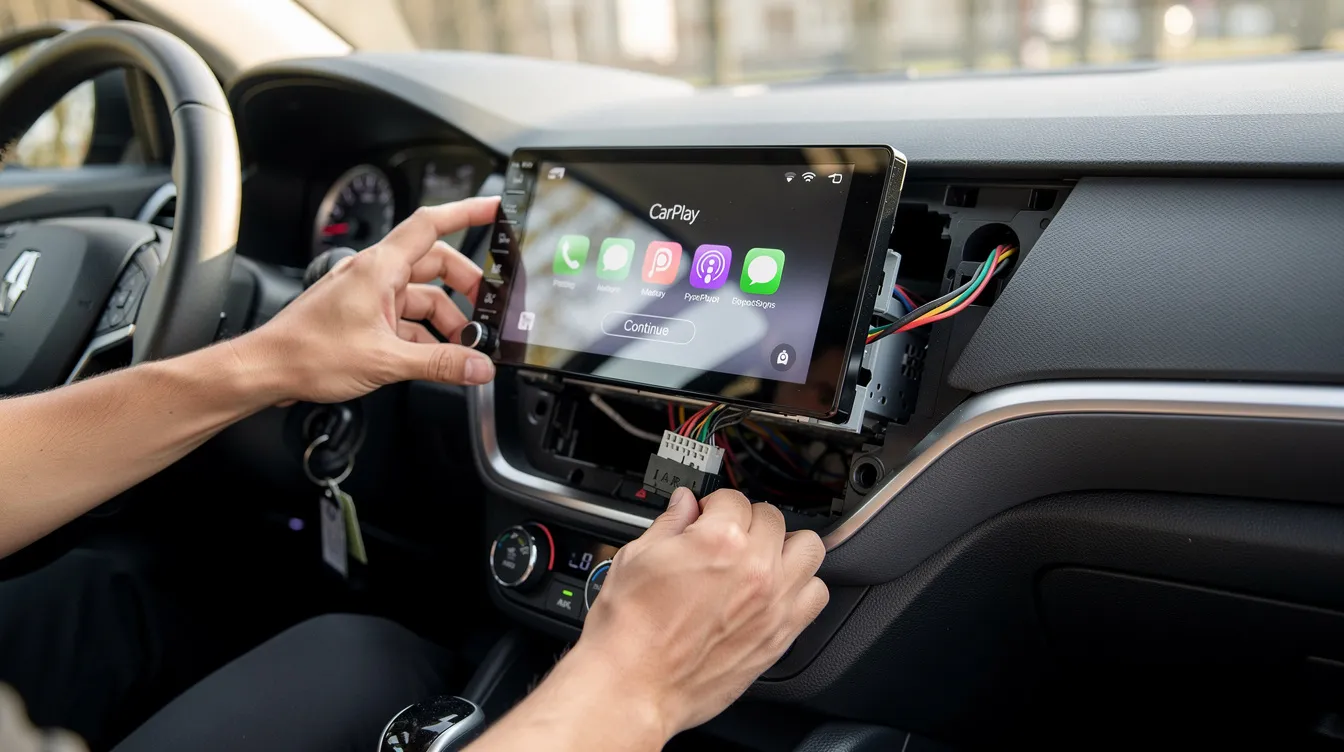
Installing a new head unit is not always a simple plug and play job. It usually requires a wiring harness adapter to connect the new unit safely to your car’s existing electrical system. A dash kit may also be needed so the unit fits cleanly into your dash without gaps. The right tools, including screwdrivers and trim removal tools, make the process go faster and prevent damage to your dash panels.
Professional installation ensures everything connects correctly the first time. Our technicians handle the wiring harness adapter, dash fitting, and setup so you do not have to guess. We also carry car audio accessories to complete your install, including mounting kits and connection cables.
Attempting a DIY install without the right tools can lead to wiring issues or a unit that does not sit flush in the dash. Skipping steps during installation can also affect safety features like steering wheel controls and backup camera access.
Setting Up Carplay and Android Auto After Installation
Once your new unit is installed, setup is usually quick. Connect your iPhone or Android device using a usb cable, or pair it wirelessly if your unit supports it. Turn on Bluetooth and follow the prompts on your screen to grant permissions. Your unit will walk you through connecting Apple Maps or Google Maps, Siri or Google Assistant, and your favorite apps like Spotify.
Restarting your phone or unit can resolve most early connection issues. Downloading the latest firmware updates for your head unit keeps performance smooth and ensures continued compatibility with iOS and Android updates. Checking for firmware updates every few months helps avoid glitches as smartphone software changes.
Common Questions From Idaho Falls Drivers
Many drivers ask if wireless CarPlay works with every phone. The answer depends on your device and your head unit’s specific features. Older iPhones and some Android devices may only support a wired connection. Testing your device’s compatibility before purchase saves time and frustration.
Others ask whether adding CarPlay affects their factory warranty. In most cases, a professionally installed aftermarket unit does not void your vehicle’s overall warranty, though it is worth checking your manual for details specific to your car.
Why Professional Installation Matters
An older car can still get the full benefits of a modern infotainment system with the right upgrade. Finding a shop with experience across multiple brands and vehicle types makes a real difference. Our team has spent years helping Idaho Falls drivers upgrade their vehicles with the latest technology.
Ensure your CarPlay or Android Auto installation is done right the first time. Our technicians understand wiring, harness adapters, and dash fitting across a wide range of car models. Stop guessing about compatibility or wiring, and let our experienced staff handle your install from start to finish.
Located at 467 E. Anderson St., Idaho Falls, ID 83401, our shop serves drivers throughout Idaho Falls, Rexburg, Saint Anthony, and Rigby. View our full range of services to see everything we offer beyond CarPlay and Android Auto installation.
Ready to upgrade your driving experience? Visit our products page to browse compatible head units, or contact us with questions about your specific vehicle. Call Limitless Electronics today at 208-524-8050 to schedule your Apple CarPlay or Android Auto installation.